
If you're an investor or host, you know the grind of juggling tabs and spreadsheets. These five Chrome extensions put the analysis right on the listing page, so you can decide faster.
The New Layer of Listing Intelligence
Real estate investing has always been a numbers game, but the numbers are scattered. Zillow, Redfin, Realtor.com, Airbnb, and VRBO each show different slices of the same property. You end up copy-pasting data into spreadsheets, squinting at photos, and guessing at revenue potential. That's where browser extensions come in. They pull the data you need without leaving the page, and the latest wave adds AI to the mix. Now you can get comps, cash flow estimates, and even photo scores in seconds. The tools below are changing how investors and hosts evaluate properties, making the process faster and more data-driven.
How We Evaluated These Tools
We looked at each extension on the same five factors: data depth, photo intelligence, ease of use, platform coverage, and pricing transparency. Data depth means how many data points it pulls and whether it goes beyond the basics. Photo intelligence is about whether the tool reads images, not just text. Ease of use covers installation and how quickly you get a report. Platform coverage matters because you don't want to switch tools for different sites. Pricing transparency is about knowing what you get for free and what it costs later. Each tool has its own strengths, and we've highlighted what stood out for each.
Here's a quick look at the five tools we're covering, with their best use cases and what makes them different.
| Provider | Best For |
|---|---|
| PropFly | Fast, side-by-side property comparisons on Zillow |
| Listing Lab AI | Photo-driven investment analysis for hosts and investors |
| Real Estate Deal Analyzer | Investors who want a full dashboard with multiple deal calculators |
| Pro Property Insights | Data extraction and export for spreadsheet-savvy investors |
| DealFinder by Homesage.ai | AI-generated reports without leaving your current webpage |
The Five Tools, Up Close
#1 PropFly
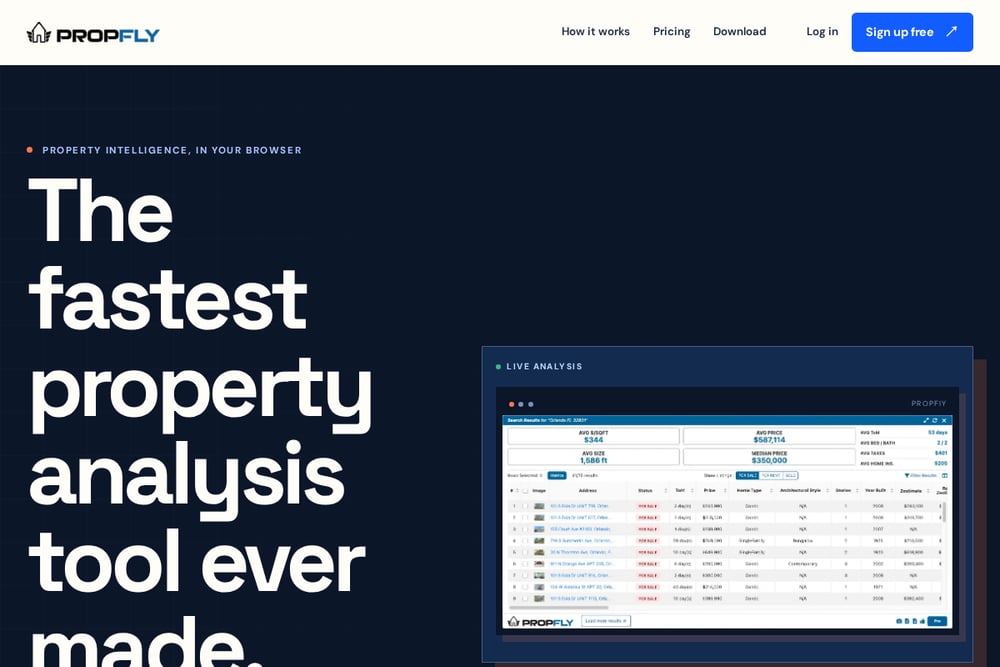 A screenshot of the PropFly website.
PropFly is built for speed, letting you analyze Zillow listings without breaking your search flow. It extracts listing details, home values, monthly costs, and neighborhood scores, then turns them into a clean dashboard for comparison. The extension is designed to handle hundreds of repetitive tasks in seconds, saving you hours on research. Its free plan gives you the full starting workflow, so you can test it before committing. If you're a buyer or investor who wants to move fast, this is your tool. It's the closest thing to a research assistant that lives in your browser.
#2 Listing Lab AI
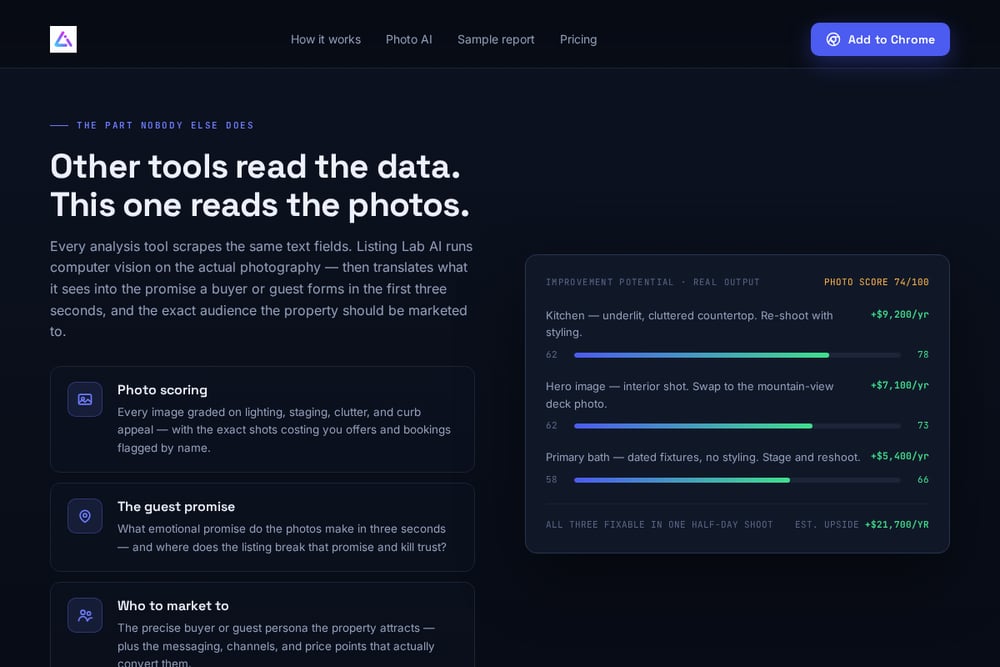 A screenshot of the Listing Lab AI website.
Listing Lab AI is the only tool here that reads the photos, not just the text. It runs computer vision on every image to score lighting, staging, clutter, and curb appeal, then flags the exact shots that are costing you offers or bookings. Beyond that, it pulls 25+ data points from Zillow, Redfin, Realtor.com, Airbnb, and VRBO, and generates a full investment report with comps and short-term rental revenue scenarios. You get a photo score, a guest promise analysis, and even ready-to-publish listing copy. It's free to install with three free analyses per month, and it works directly on the listing page. The paid Pro membership unlocks unlimited monthly reports and lets you export them as a shareable PDF. For hosts and investors who know visuals drive decisions, this is a game-changer.
#3 Real Estate Deal Analyzer
 A screenshot of the Real Estate Deal Analyzer website.
Real Estate Deal Analyzer focuses on Zillow and gives you a dedicated dashboard to run professional-grade calculations. You get a 'Capture Property' button on every listing, and it extracts price, beds, baths, square footage, taxes, and more. The dashboard includes 15+ calculators for fix-and-flip, buy-and-hold, BRRRR, and wholesaling, so you can model different strategies. It also integrates SAFMR rental data for accurate market rent estimates. If you're a serious investor who wants to track multiple deals and generate reports, this tool has the depth. It's more about the numbers than the photos, but it's solid for deal analysis.
#4 Pro Property Insights
 A screenshot of the Pro Property Insights website.
Pro Property Insights is a straightforward scraper that pulls real estate data from Zillow and exports it to CSV or Google Sheets. You can extract unlimited locations and trends, with data going back 180 days, and it automatically calculates metrics for you. The interface is simple—just three buttons: Get Data, Clear Data, and Download. It's perfect for investors who want to build their own spreadsheets or do custom analysis. The free version has limits, but the paid version unlocks unlimited data. If you're comfortable with data and want raw numbers, this is a practical choice.
#5 DealFinder by Homesage.ai
 A screenshot of the DealFinder by Homesage.ai website.
DealFinder by Homesage.ai generates AI-powered investment property reports directly from any webpage you're browsing. It's designed to eliminate tab-switching and copy-pasting, giving you instant property intelligence without learning a new platform. The extension works with your existing workflow, so you can stay on Zillow or other sites and still get a full report. It's backed by Homesage.ai's real estate APIs, which means the data is robust and up-to-date. For investors who want a seamless AI assistant, this is a strong option. It's newer, but the integration with Homesage's broader platform adds value.
How to Pick the Right Tool for You
Start by asking what you need most. If you're a host or investor who knows photos drive bookings and offers, Listing Lab AI's photo scoring is unique. If you want to compare dozens of properties quickly, PropFly's speed and dashboard are hard to beat. For deep financial modeling, Real Estate Deal Analyzer's calculators give you the numbers. If you prefer to work in spreadsheets, Pro Property Insights gives you raw data to manipulate. And if you want AI reports without changing your browsing habits, DealFinder is worth a look. Consider your platform: most tools work with Zillow, but Listing Lab AI also covers Redfin, Realtor.com, Airbnb, and VRBO. Finally, check the free tier—most offer a trial, so test a few before you commit.
Automating Your Property Research Workflow
Imagine this: you're scrolling Zillow, and with one click, the extension pulls all the data, scores the photos, and gives you a report. No copy-paste, no second tab. That's the promise of these tools. For Listing Lab AI, the workflow is simple: open a listing, click the extension, and read the report. It pulls 25+ data points and runs computer vision on the photos, all in seconds. You can then use the ready-to-publish listing copy for your own listings. For PropFly, you can set up a free account and start analyzing immediately, saving properties to your dashboard for later comparison. The key is to integrate the tool into your daily browsing so you never miss a deal. Once you get used to it, you'll wonder how you ever did it manually.
The Bottom Line
The days of manual data entry and guesswork are over. These five tools bring professional-grade analysis to your browser, and each has a different strength. Listing Lab AI stands out for its photo intelligence, which is a differentiator in a market where visuals matter. PropFly is the speed demon for quick comparisons. Real Estate Deal Analyzer is the calculator king. Pro Property Insights is the data exporter. DealFinder is the AI assistant that fits your workflow. Whichever you choose, you'll save hours and make smarter decisions. Try the free tiers, see which one feels right, and start analyzing like an analyst.