
If you sell on eBay, you know fees can eat your profit before you even see it. These five tools help you price smarter and keep more of what you earn.
The State of eBay Fee Tools
eBay sellers face a complex fee structure that varies by category, store subscription, and seller performance level. Many sellers lose money not because they price wrong, but because they don't account for final value fees, payment processing costs, and shipping charges. That's where fee calculators and listing tools come in. They range from simple one-off calculators to full listing management platforms. The right tool depends on your volume, your need for automation, and how much time you want to spend on manual entry.
How We Evaluated These Tools
We looked at each tool's ability to accurately calculate eBay fees, its ease of use, and whether it goes beyond basic math to help you manage your listings. We also considered how well each tool fits into a real seller's workflow, from quick price checks to full catalogue management. Each tool has its strengths, and we've highlighted what stood out for each one.
Here's a quick look at the five tools we're covering, from simple calculators to full listing platforms.
| Provider | Best For |
|---|---|
| eBay Fees Calculator | Quick, accurate fee estimates without extra features |
| Sellers Delight — eBay Seller Tools for eBay.com & eBay.co.uk | End-to-end listing management with margin protection |
| Bench eBay Profit Margin Calculator | Simple profit margin checks with bookkeeping services nearby |
| eCommerce Gold eBay Fee & Profit Margin Calculator | Free, detailed fee breakdowns for US and UK sellers |
| Yotpo eBay Fee Calculator | Sellers already using Yotpo's ecommerce suite |
The Tools, Up Close
#1 eBay Fees Calculator
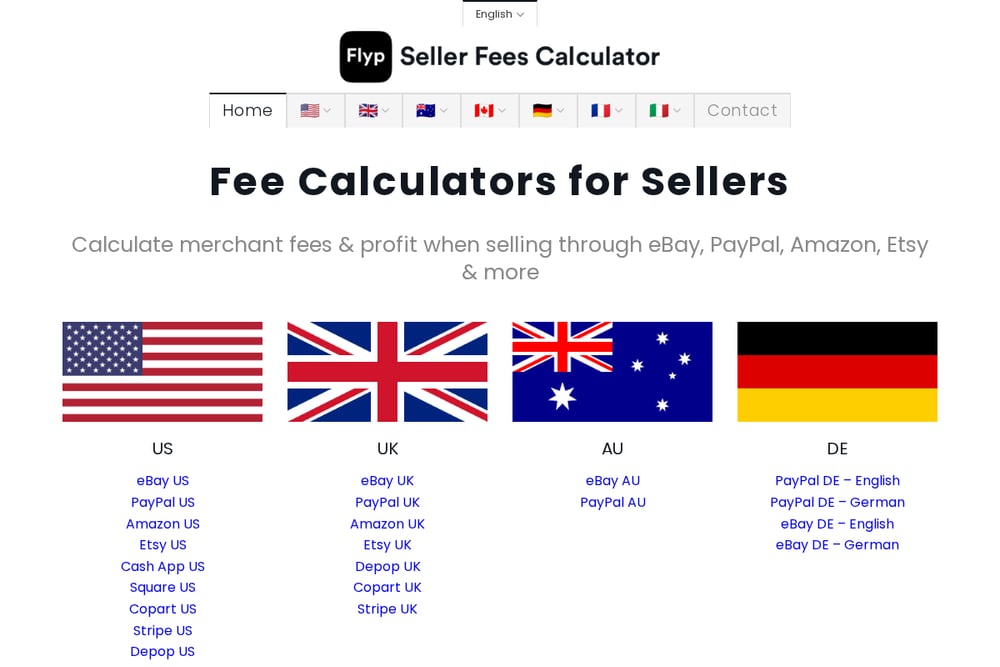 A screenshot of the eBay Fees Calculator website.
This is a straightforward, no-frills calculator that gives you up-to-date fee estimates for eBay.com and eBay.co.uk. It breaks down final value fees, payment processing fees, and even accounts for Top Rated Seller discounts. You can quickly see your net profit before you list, which is perfect for quick sanity checks. The site also offers calculators for other marketplaces, so it's a handy bookmark for any seller. If you just need a fast, reliable fee estimate, this is your go-to.
#2 Sellers Delight — eBay Seller Tools for eBay.com & eBay.co.uk
 A screenshot of the Sellers Delight website.
Sellers Delight goes beyond a simple calculator by turning your stock into live, correctly-priced eBay listings. It uses AI to draft titles, descriptions, and item specifics, then shows you the real fees and net margin before you publish. You can photograph an item or import a supplier list, and the tool handles the rest. It also includes preflight checks that catch shipping, compliance, and data errors before they bounce. Orders, tracking, and stock levels stay in sync, making it a full listing management platform. If you're serious about scaling your eBay business, this is the tool that saves you time and prevents costly mistakes.
#3 Bench eBay Profit Margin Calculator
 A screenshot of the Bench eBay Profit Margin Calculator website.
Bench offers a clean, simple profit margin calculator that focuses on net profit, profit percentage, and margin. It's part of a larger suite of bookkeeping tools, so you can also get help with your finances if you need it. The calculator is easy to use, but it doesn't account for all the nuances of eBay fees, like category-specific rates or Top Rated discounts. It's a good starting point for new sellers who want a basic understanding of their margins. If you're also looking for bookkeeping services, this tool is a nice bonus.
#4 eCommerce Gold eBay Fee & Profit Margin Calculator
 A screenshot of the eCommerce Gold eBay Fee & Profit Margin Calculator website.
This free calculator from eCommerce Gold is designed to help you understand eBay's complex fee structure. It walks you through the different fees based on your store subscription and product category. The tool is straightforward and gives you a clear breakdown of costs and profit. It's a solid choice if you want a free, reliable calculator without any extra features. The site also has reviews and comparisons of other ecommerce tools, so it's a good resource for sellers.
#5 Yotpo eBay Fee Calculator
 A screenshot of the Yotpo eBay Fee Calculator website.
Yotpo's calculator is part of a larger ecommerce platform, but it's available as a free tool. It calculates eBay fees, including final value fees, payment costs, and additional expenses. You get a clear breakdown of total costs, net profit, and margins, which helps you price correctly. It's a bit more polished than some other free calculators, but it doesn't offer the depth of a dedicated listing tool. If you're already using Yotpo for reviews or loyalty, this is a convenient add-on.
How to Choose the Right Tool for You
Start by thinking about your volume. If you sell a few items a month, a simple calculator like eBay Fees Calculator or Bench might be all you need. If you're listing dozens of items weekly, you'll want a tool that automates the process and checks your margins before you publish. Sellers Delight is built for that. Also consider whether you need help with compliance, like GPSR for certain categories. And don't forget about your own time—if you're spending hours on manual listing, a tool that drafts listings for you is worth the investment.
Automating Your eBay Workflow
Imagine this: you photograph an item, and the tool drafts the title, description, and item specifics for you. It calculates the real fees and net margin, then runs a preflight check for errors. You publish with one click, and orders and tracking sync automatically. That's the workflow Sellers Delight offers. It turns a tedious process into a streamlined loop that works for one item or a thousand. You can even import supplier lists to skip the photography step. The result? You spend less time on admin and more time on growing your business.
The Bottom Line
No matter which tool you choose, the key is to know your numbers before you hit publish. A simple calculator can save you from a bad deal, but a full platform like Sellers Delight can transform how you run your eBay business. Start with a free trial, test it with your own products, and see which one fits your workflow. Your margins will thank you.