
Tired of the same repetitive clicks between raw textures and a finished render? These five tools cut the busywork so you can get back to making.
The State of Blender Automation
Blender's open-source power comes with a catch: the manual grind of material setup, UV finishing, and naming can eat hours. A new wave of pipeline tools is stepping in to automate these chores, letting artists focus on the creative decisions. From folder-based batch processing to node unification, the options are growing fast. Whether you're a solo freelancer or part of a studio, there's likely a tool that fits your workflow. The key is finding one that matches how you already work, not forcing you to change your process.
How We Evaluated These Tools
We looked at each tool's ability to automate repetitive tasks, how clearly it communicates its pricing and setup, and how well it fits into a typical Blender artist's daily workflow. We also considered the learning curve, the flexibility of its features, and the quality of its documentation. Each tool was assessed on these same factors to give you a balanced view of what's out there.
Here's a quick snapshot of the five tools we're covering, from the folder-first automation of Kilnkit to the batch material tools that speed up baking prep.
| Provider | Best For |
|---|---|
| RapidPipeline for Blender | Studio-scale asset optimization and CAD import automation |
| Kilnkit — Into the kiln | Folder-to-finished asset automation for texture libraries |
| Nodemaster | GLB and Substance Painter texture-to-node automation |
| Material Batch Tools | Batch material prep for baking and texture atlases |
| Pipeline Manager | Comprehensive pipeline management for complex projects |
The Tools, Up Close
#1 RapidPipeline for Blender
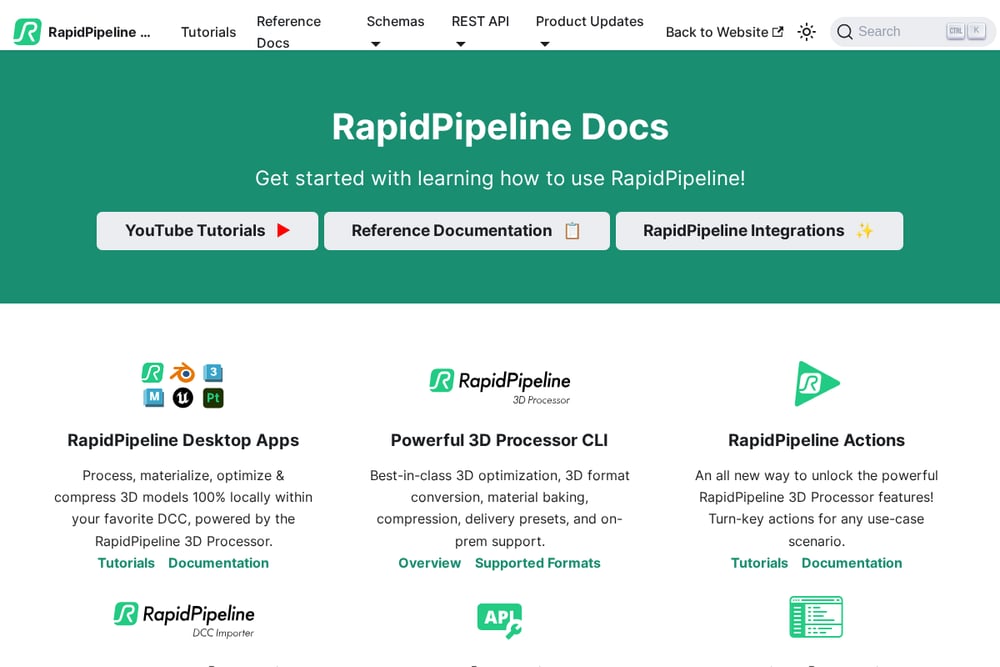 A screenshot of the RapidPipeline for Blender website.
RapidPipeline brings a powerful 3D data optimization and automation toolset directly into Blender. You can import 3D or CAD files with a click, then use curated Actions for common processing tasks or dive into Expert Mode for fine-grained control. It's built for teams that need consistent, repeatable results across many files. The integration is solid, and the documentation is thorough, making it a reliable choice for studios. If you're dealing with complex imports and need a robust pipeline, this is your workhorse. It's less about quick material fixes and more about full-scale asset management.
#2 Kilnkit — Into the kiln
 A screenshot of the Kilnkit website.
Kilnkit takes a refreshingly simple approach: point it at a folder of raw maps, and it returns a finished, rendered asset. It reads MaterialX sidecars for exact channel mapping, applies scale and textures, and wires up a Principled BSDF automatically. The default triplanar preview keeps your UVs untouched, and you can finish UVs with one click when you need them for baking or export. It also handles naming, batching, and rendering stills or turntables, all from a single panel. For artists who work with texture libraries like ambientCG, this is a massive time-saver. It's free to download, which makes it an easy win to try out.
#3 Nodemaster
 A screenshot of the Nodemaster website.
Nodemaster is a free add-on that automates the tedious process of loading image textures and building node trees. You set a texture folder and a node structure, and it finds textures based on your material names, connecting everything for you. It's particularly handy if you work with GLB exports and Substance Painter, as it matches export templates to node trees. The developer built it for their own daily workflow, so it's practical and focused. While it's still evolving, the core functionality is solid and can save you hours on repetitive material setup. If you're a GLB or Substance user, this is worth a look.
#4 Material Batch Tools
 A screenshot of the Material Batch Tools website.
Material Batch Tools is all about batch automation for materials and nodes, especially when you're prepping models for baking. It lets you unify node settings across all materials, copy and paste custom image texture nodes for baking targets, and automate other repetitive tasks. The Node Unify feature is a standout, letting you set a template node and apply its settings to all similar nodes in your scene. It's a great fit for artists working with megatextures or texture atlases. The add-on supports Blender 3.x to 5.x, so it's up to date with the latest versions. If baking is a regular part of your workflow, this tool will speed things up considerably.
#5 Pipeline Manager
 A screenshot of the Pipeline Manager website.
Pipeline Manager is a comprehensive tool for managing your Blender pipeline, from asset organization to render management. It's designed to help you keep your projects structured and your workflow efficient. The documentation is detailed, covering everything from setup to advanced features. It's a paid tool, but it offers a lot of flexibility for artists who want to customize their pipeline. If you're juggling multiple projects and need a central hub for your assets and processes, this could be your answer. It's more of an all-in-one solution than a quick fix for a single pain point.
How to Pick the Right Tool for You
Start by identifying your biggest bottleneck. If you're drowning in texture folders and need a one-click finish, Kilnkit is your best bet. If you're dealing with CAD imports and need heavy optimization, RapidPipeline is the way to go. For GLB and Substance users, Nodemaster offers a free, focused solution. Material Batch Tools shines when baking is your daily grind. And if you need a full pipeline manager, Pipeline Manager has you covered. Consider your budget, your technical comfort level, and whether you want a free tool or are willing to invest. Try a few and see which one feels like it was made for your workflow.
Automation in Action: A Typical Workflow
Imagine you've just downloaded a set of marble textures from ambientCG. With Kilkitt, you point it at the folder, and it reads the MaterialX sidecar, applies the textures, and wires up a Principled BSDF. You get a preview on a sphere, and with one click, you finish the UVs, name everything, and render a turntable. No node editing, no manual naming, no guesswork. That's the kind of automation that turns a 30-minute chore into a 30-second task. The same principle applies to the other tools: they all aim to remove the repetitive steps so you can focus on the creative ones.
The Bottom Line
Blender's ecosystem is rich with tools that can take the drudgery out of asset finishing. Whether you choose Kilnkit for its folder-first simplicity, RapidPipeline for its industrial strength, or any of the others, the goal is the same: get more done in less time. The best tool is the one that fits your specific workflow and saves you the most hours. Start with the free options like Kilnkit and Nodemaster, and see how they change your process. You might find that a little automation goes a long way.