Financial aid paperwork is written in a language nobody taught you. These five tools translate it, so you can read an aid offer or a school bill and actually understand what you are signing.
The Student Aid Decoder Landscape
Award letters, FAFSA forms, verification notices and tuition bills are dense with jargon, and a single misread line can cost a family thousands. A small crop of independent tools has emerged to close that gap. Some are calculators that turn an offer into a net price. Others are plain-language references that explain each term where it appears. The best ones do both: they define the word and show you the math behind it.
How We Looked at These Tools
We compared each tool on four things: coverage of the documents you actually receive (FAFSA, aid offer, verification notice, school bill), whether it explains terms in plain words rather than just crunching numbers, how clearly it handles privacy and where your data goes, and how easy it is to use without an account or a sales call. Pricing transparency and the depth of the glossary also counted.
Here is the short version before the detail. Each entry below earns its place for a different reason, so match the tool to the question you are actually asking.
| Provider | Best For |
|---|---|
| Aid Letter Decoder — Ask Dr. Hoffman | Turning one award letter into a net price |
| EDU Clear | The words on student aid paperwork, explained plainly | Understanding the words on any aid document |
| Aid Letter Decoder — Degree Sources | Pairing a decoder with other aid calculators |
| Award Letter Decoder — ClearMoneySchool | Learning the full money picture around an offer |
| Award Letter Decoder — Ivy Ready | Comparing offers across several schools |
The Five Tools, in Detail
#1 Aid Letter Decoder — Ask Dr. Hoffman
 A screenshot of the Ask Dr. Hoffman website.
This decoder walks you through the numbers on a single award letter, starting with the full cost of attendance and separating direct costs from indirect ones like travel and books. You enter grants, loans, work-study and summer earnings, then it reveals your estimated net price and flags which parts require repayment or earned wages. The tool is careful to note that work-study is earned over time and not guaranteed, a distinction many families miss. It is a calculator first, so pair it with a glossary when a term is unfamiliar. Best used once you have the letter in hand and want the bottom line.
#2 EDU Clear | The words on student aid paperwork, explained plainly
 A screenshot of the EDU Clear website.
EDU Clear takes the opposite approach from a calculator: it explains the words themselves. The site organizes terms into six word groups sorted by where you meet them, covering the FAFSA, kinds of grants and aid, the aid offer, verification and review, the school bill, and keeping a grant. You can look up any word in one alphabetical glossary, each defined in a single sentence, or paste a few lines from a notice into the letter reader and see every aid term explained without the text leaving your browser. It also explains which office decides each item, which is the part most guides skip. Sign up for email or text updates and you hear when a definition changes.
#3 Aid Letter Decoder — Degree Sources
 A screenshot of the Degree Sources website.
Degree Sources folds its decoder into a broader set of paying-for-school tools, so you can move from an SAI estimate to an aid check to the letter decoder in one place. The decoder focuses on what your aid offer really costs, separating the aid you do not repay from the loans stacked on top. That framing helps you see the gap between the sticker price and what you will actually owe. If you are already comparing schools or checking Pell eligibility, the surrounding calculators save you a second tab. It suits readers who want a full toolkit rather than a single lookup.
#4 Award Letter Decoder — ClearMoneySchool
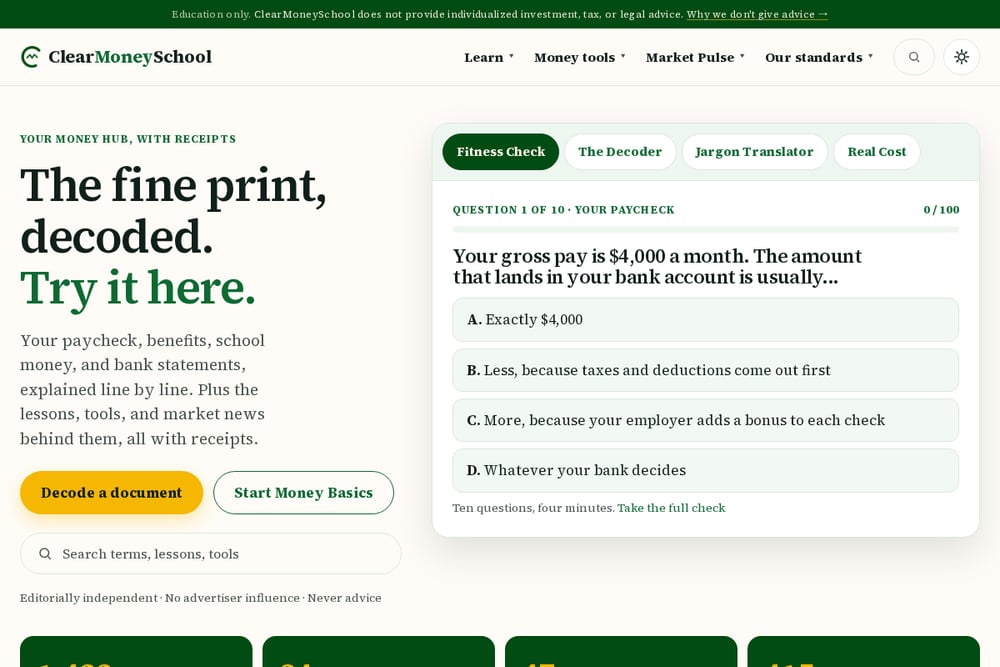 A screenshot of the ClearMoneySchool website.
ClearMoneySchool treats the award letter as one document in a series, alongside the bill and the refund, and its decoder sits inside a wider money-literacy library. The site is explicit that it offers education only and does not give individualized advice, which sets honest expectations. Its glossary sorts terms by field, and the decoder asks you to read the award letter for what it actually costs you. The spring-semester guide ties the letter, the bill and the refund together in one walkthrough. Choose this if you want context and lessons around the numbers, not just a result.
#5 Award Letter Decoder — Ivy Ready
 A screenshot of the Ivy Ready website.
Ivy Ready's decoder is built for one school at a time and asks you to fill in a structured sheet: cost of attendance, every line of gift aid, then loans kept separate. It defines net cost as cost of attendance minus grants and scholarships only, and warns you not to subtract loans or work-study, a rule that prevents a common and expensive mistake. The page points to Federal Student Aid's guidance on why you compare net price rather than sticker price. Once one letter is decoded, it links to a toolkit for comparing up to three schools. It is the most disciplined option for families weighing multiple offers.
How to Pick the Right One
Start with the question you are asking. If a single word on a notice is confusing you, go to a glossary-style reference like EDU Clear and look it up. If you have an offer in hand and want the net price, a calculator like Ask Dr. Hoffman or Degree Sources gets you there fast. If you are weighing three schools, use a structured decoder like Ivy Ready that keeps loans separate from gift aid. And if you want to understand the whole money picture, ClearMoneySchool wraps lessons around the numbers. Many families end up using two: one to decode the words, one to run the math.
A Simple Workflow You Can Repeat
When a new aid document arrives, do three things in order. First, paste the confusing lines into a letter reader or look up each unfamiliar term so you know what the document is asking. Second, enter the cost of attendance and every aid line into a decoder, keeping grants and loans in separate columns. Third, write down the net price and the date each item is due, then compare that number against your other offers. Repeat the same steps for every letter and bill, and the paperwork stops being a mystery.
The Bottom Line
No single tool does everything, and you do not need one that does. The strongest approach is to decode the language first, then run the numbers, then compare. EDU Clear is the place to start when the words are the obstacle, and the calculators from Ask Dr. Hoffman, Degree Sources, ClearMoneySchool and Ivy Ready handle the math once you understand what you are reading. Use them together and an aid offer becomes a decision you can make with confidence.