
Stuck on an integral? You don't need a private tutor to see every transformation. These five tools walk you through the math, step by step.
The New Math Classroom Lives in Your Browser
Calculus students in the US are increasingly turning to online integral calculators that don't just spit out answers. They want to see the work. The best tools now show substitution, integration by parts, partial fractions, and even double or triple integrals with visualizations. Free access and no registration are becoming standard expectations. The five platforms below each take a different angle on helping you learn by doing.
What We Looked At
We evaluated each tool on method coverage, clarity of step-by-step explanations, practice features, language support, and overall accessibility. IntegralPaso stood out for its Spanish-language interface and built-in practice with hints. Integral Calculator impressed with its clean graphing and broad technique support. Symbolab showed strength in its extensive solver ecosystem and practice verification. Wolfram|Alpha delivered deep computational power and natural language input. MathDF offered a wide method selection and multilingual reach. Each brings something distinct to your study session.
Here's a quick look at five integral calculators that actually show their work.
| Provider | Best For |
|---|---|
| Integral Calculator | Clean graphing and broad technique support |
| Integrales paso a paso: calculadora y práctica | IntegralPaso | Spanish-speaking students who want practice with hints |
| Symbolab Integral Calculator | Students who want a full math solver suite |
| Wolfram|Alpha Integral Calculator | Complex integrals and natural language input |
| MathDF Integral Calculator | Manual method selection and multilingual support |
The Five Tools in Focus
#1 Integral Calculator
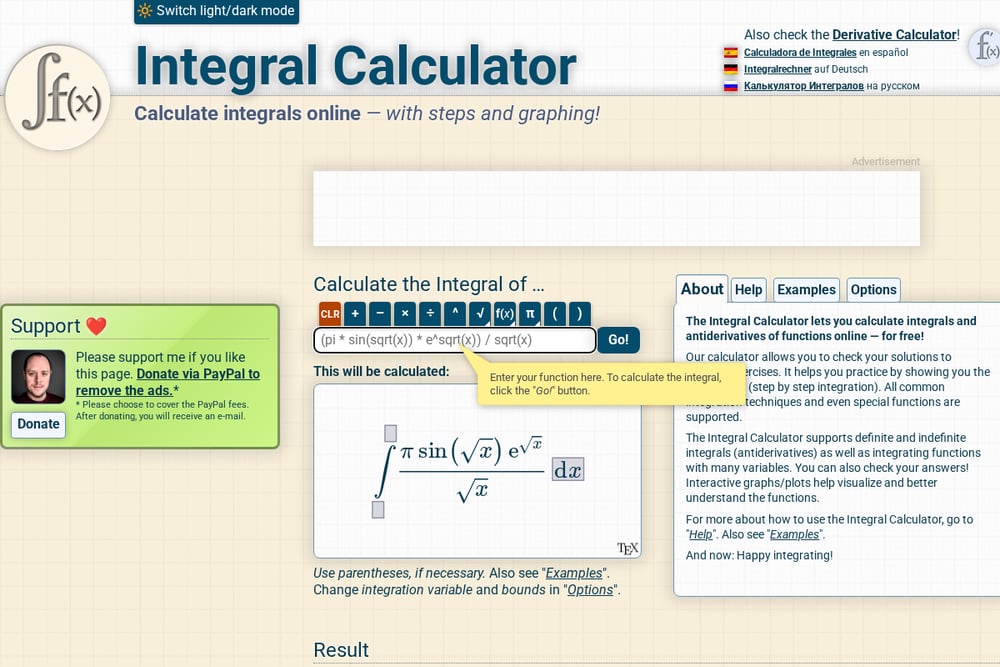 A screenshot of the Integral Calculator website.
This tool has been a go-to for calculus students for years. You type in a function, and it returns the antiderivative with full working steps. It supports definite and indefinite integrals, multiple variables, and interactive graphs that help you visualize the area under the curve. The interface is clean and available in Spanish, German, and Russian. If you want a no-frills, reliable step-by-step solver, this is a solid starting point.
#2 Integrales paso a paso: calculadora y práctica | IntegralPaso
 A screenshot of the IntegralPaso website.
IntegralPaso is built for learners who want to understand every move. It solves simple, double, and triple integrals with step-by-step explanations, and it lets you practice with hints before revealing the answer. The interface is entirely in Spanish, making it a rare find for Spanish-speaking students in the US. You get free access with no registration, and your progress is saved on your device. It also includes a history of solved integrals and supports methods like integration by parts, substitution, and partial fractions.
#3 Symbolab Integral Calculator
 A screenshot of the Symbolab website.
Symbolab is more than an integral calculator. It's a full math solver ecosystem with tools for derivatives, algebra, matrices, and more. The integral calculator shows step-by-step solutions and lets you verify your own answers through practice challenges. It supports a wide range of functions and offers a clean, modern interface. The free version gives you access to core solving features, while a subscription unlocks additional steps and tools.
#4 Wolfram|Alpha Integral Calculator
 A screenshot of the Wolfram|Alpha website.
Wolfram|Alpha brings serious computational power to your integral problems. You can enter queries in plain English, and it handles antiderivatives, definite integrals, double and triple integrals, and improper integrals. It also shows plots, alternate forms, and other relevant information to deepen your understanding. The step-by-step solutions are available through a subscription, but the free version still gives you powerful results. It's a great choice when you need to check complex work.
#5 MathDF Integral Calculator
 A screenshot of the MathDF website.
MathDF offers a robust integral calculator with step-by-step solutions and interactive graphs. You can choose solution steps manually, which is great for learning specific methods like u-substitution, integration by parts, and trigonometric substitution. The site supports over 30 languages, making it accessible to a global audience. It also includes image scanning for input, which can save time when you're working from a textbook. The interface is straightforward and focused on getting you to the answer.
How to Pick Your Integral Calculator
Start by identifying what you need most. If you're learning in Spanish, IntegralPaso gives you a native-language experience with practice built in. If you want to visualize the area under a curve, Integral Calculator's graphing is hard to beat. For a full suite of math tools, Symbolab has you covered. When you're dealing with advanced or improper integrals, Wolfram|Alpha's computational engine shines. And if you like to control which method is applied, MathDF lets you choose. Try two or three and see which one fits your study flow.
Automating Your Practice Routine
You can turn these tools into a weekly routine. Start with a problem set from your textbook. Use IntegralPaso to practice with hints first, then check your work with Integral Calculator's step-by-step output. If you get stuck on a tricky integral, run it through Wolfram|Alpha for alternate forms and plots. Keep a log of the methods that trip you up, and revisit them with MathDF's manual selection. Over time, you'll build a personal workflow that turns confusion into confidence.
The Bottom Line
You don't have to struggle through integrals alone. These five tools each offer a different path to understanding, from Spanish-language practice to deep computational checks. Pick the one that matches your learning style, and make it part of your regular study habit. The more you see the steps, the more the steps become second nature.