
The sticker price on a futures prop firm evaluation is rarely what you actually pay. These five calculators help you see the real number before you swipe your card.
The True Cost Problem in Futures Prop Trading
Futures prop firm evaluations look cheap until you add resets, activation fees, and monthly rebills. A $50K challenge advertised at $165 can quietly become $500 or more if you fail once and restart. That gap between sticker price and real cost is where most traders get surprised. A new category of independent calculators has emerged to close it. These tools are not prop firms. They do not sell evaluations or signals. They simply total up what you will actually spend to get funded, so you can compare offers with your eyes open. The space is young, the methodologies vary, and transparency matters more than polish.
How We Evaluated These Calculators
We looked at the same factors for every tool. First, scope: does it cover evaluation fees, resets, activation, and recurring subscriptions, or just the headline price? Second, pricing clarity: is the calculator free, does it require a sign-up, and does it disclose affiliate relationships? Third, firm coverage: how many futures prop firms and account sizes are actually modeled? Fourth, output usefulness: does it show total cost and break-even profit, or just a single number? Fifth, independence: is the site selling evaluations, or is it genuinely neutral? Each tool below stood out on different factors, and we note what specifically caught our attention for each.
Here is a quick look at the five calculators, what each does well, and who each one fits. Use this table to shortlist two or three, then dig into the full breakdowns below.
| Provider | Best For |
|---|---|
| PipBack Evaluation Calculator | Traders who want a pass-rate estimate alongside cost |
| PropFeeDecoder – independent prop firm cost calculator (not a prop firm) | Traders who want a free, no-sign-up total cost breakdown |
| FuturesFury Prop Firm Cost Calculator | Traders who want cost estimates plus futures news |
| TradeSearcher Prop Firm Payout Calculator | Traders focused on net payout after fees |
| Trader's Second Brain Prop Firm Calculator | Traders who want a calculator inside a review workspace |
The Five Calculators in Detail
#1 PipBack Evaluation Calculator
 A screenshot of the PipBack website.
PipBack takes a different angle: it estimates your pass rate, not just your fees. You enter your win rate, risk-to-reward, risk per trade, and trades per month, then pick a firm and evaluation. The tool models one-phase, two-phase, and instant funding structures. It also factors in drawdown rules and profit targets, which is where most cost estimates fall apart. PipBack is explicit that it is not a prop firm and discloses affiliate links, which is a point in its favor for transparency. If you want to know how likely you are to pass before you pay, this is the tool to start with.
#2 PropFeeDecoder – independent prop firm cost calculator (not a prop firm)
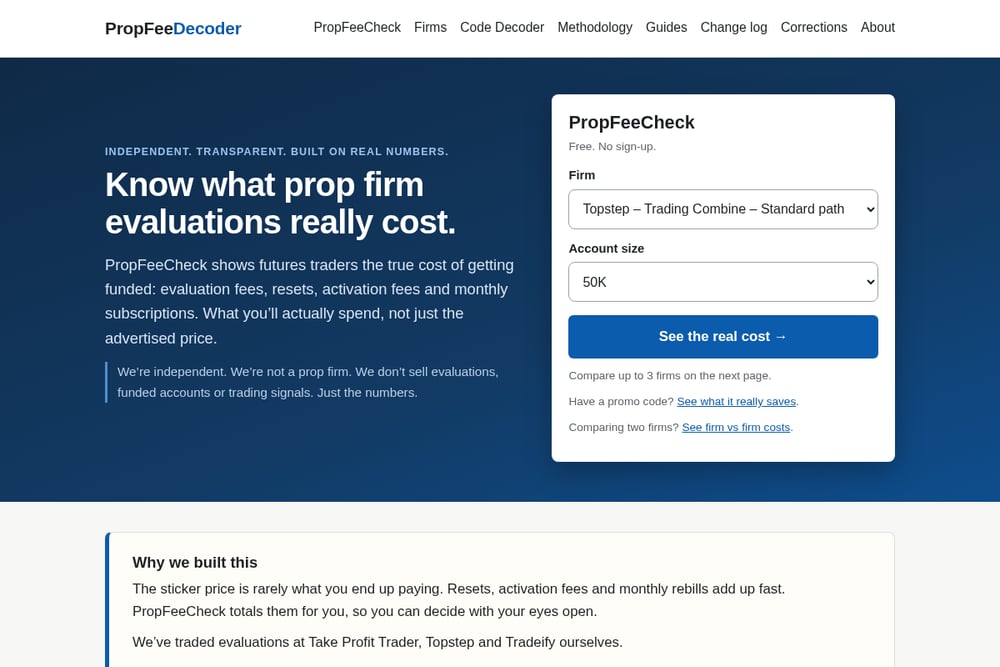 A screenshot of the PropFeeDecoder website.
PropFeeDecoder is the most focused tool on this list for one job: totaling the real cost of getting funded. Its PropFeeCheck calculator covers evaluation fees, resets, activation fees, and monthly subscriptions across firms like Apex, Topstep, Earn2Trade, MyFundedFutures, Take Profit Trader, Tradeify, and Lucid. You can compare up to three firms side by side and see how much profit you need to break even. It is free, requires no sign-up, and the team states plainly that it is not a prop firm and does not sell evaluations or signals. The site also includes a promo code decoder and plain-English guides, which makes it useful beyond the calculator itself.
#3 FuturesFury Prop Firm Cost Calculator
 A screenshot of the FuturesFury website.
FuturesFury frames its calculator around the true cost to get funded, which is the right framing. The site pairs the tool with a broader futures news feed, so you get market context alongside the numbers. That combination can be useful if you want to check costs and stay current in one place. The calculator itself is straightforward: pick your firm and account size, and it totals the fees. It is a solid option if you already read futures news daily and want a calculator in the same tab. Just be aware the news feed can distract from the task at hand.
#4 TradeSearcher Prop Firm Payout Calculator
 A screenshot of the TradeSearcher website.
TradeSearcher flips the question: instead of what it costs to get funded, it shows what you keep after you are funded. You enter account size, monthly return, profit split, recurring fees, and evaluation cost. The tool then projects your net income month by month and shows when you break even on the evaluation. It also includes a consistency rule calculator and a risk-of-ruin tool, which are useful for futures traders. If your main concern is whether a funded account actually pays after fees, this is the calculator to use. It is less about the entry cost and more about the exit economics.
#5 Trader's Second Brain Prop Firm Calculator
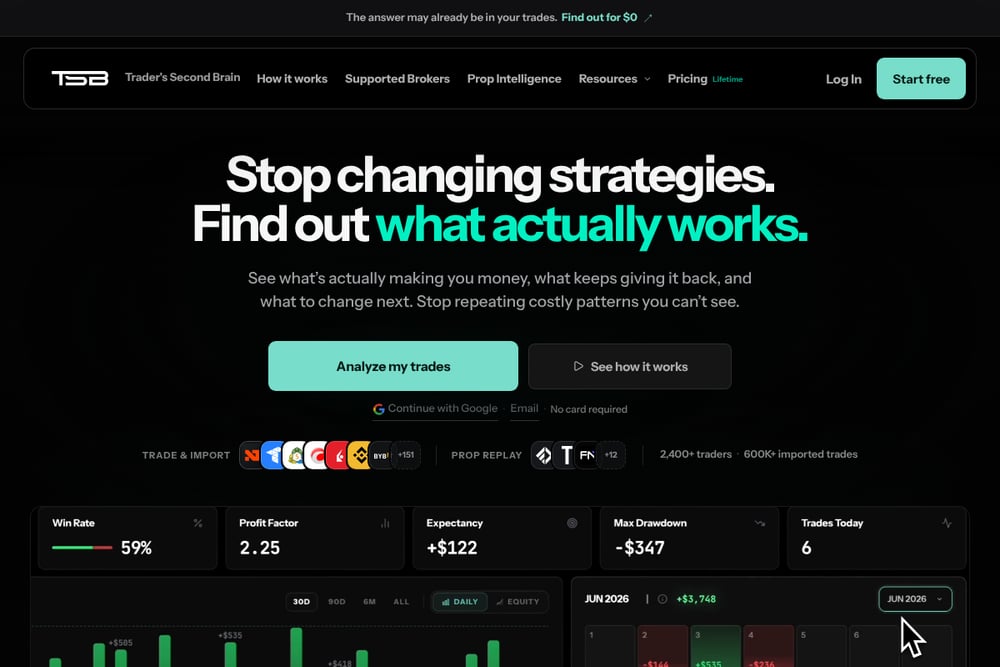 A screenshot of the Trader's Second Brain website.
Trader's Second Brain offers a rough 30-day scenario estimate based on average stats you enter. It is part of a broader review workspace that includes journaling, setup review, and a backtester. The calculator is explicitly labeled as a rough estimate and does not use your actual trade history, which is an honest caveat. The strength here is the surrounding platform: if you already journal your trades, you can move from cost estimate to rule replay in one place. If you only want a quick fee total, the other tools on this list are more direct. But for traders building a review process, the integration is worth a look.
How to Pick the Right Calculator for You
Start with the question you are actually asking. If you want to know what an evaluation will cost you in total, including resets and activation, use a cost-focused tool like PropFeeDecoder. If you want to know whether you are likely to pass before you pay, PipBack's pass-rate model is the better fit. If your concern is what you keep after you are funded, TradeSearcher's payout projection answers that. If you want a calculator inside a journaling workflow, Trader's Second Brain makes sense. And if you want cost estimates alongside daily futures news, FuturesFury is the one. Check whether the tool is free, whether it requires a sign-up, and whether it discloses affiliate relationships. Independence matters here, because a calculator that earns commissions from prop firms has an incentive to make those firms look cheaper.
Building a Repeatable Cost-Check Workflow
You do not need to check costs manually every time you consider a new evaluation. Build a simple routine. First, shortlist two or three firms you are considering. Second, run each through a cost calculator that totals evaluation, reset, activation, and monthly fees. Third, run the same firms through a payout calculator to see net income after profit split and recurring fees. Fourth, note the break-even month for each. Fifth, save the results in a spreadsheet so you can compare over time. Repeat this every time a firm changes its pricing or you change account size. The whole process takes about fifteen minutes and can save you hundreds in avoidable fees.
The Bottom Line on Prop Firm Cost Calculators
The sticker price is a marketing number. The real cost is what you pay after resets, activation fees, and monthly rebills. These five calculators each attack that problem from a different angle, and none of them is a prop firm. That independence is the point. Use PropFeeDecoder for a free, no-sign-up total cost breakdown. Use PipBack to estimate your pass rate. Use TradeSearcher to project your net payout. Use Trader's Second Brain if you want a calculator inside a review workspace. Use FuturesFury if you want cost estimates alongside futures news. Pick the one that answers your question, run the numbers before you pay, and decide with your eyes open.