You want a real number, not a sales call. These five calculators give you a fast estimate without making you hand over your phone number first.
The State of Car Insurance Cost Calculators
Car insurance shopping has quietly moved from the phone to the browser. Drivers now expect to see a ballpark rate before they ever talk to an agent, and a wave of calculators has risen to meet that demand. Some are built by carriers, some by comparison publishers, and a few are standalone tools that do one job well. The difference between them matters. A carrier calculator tends to educate you on coverage and nudge you toward a quote. A publisher calculator tends to compare averages and point you to shopping options. A standalone estimator tends to skip the funnel entirely and just show you a number. Rates themselves keep climbing, so the appetite for quick, no-commitment estimates is only growing. The tools that win trust are the ones that ask for less and explain more.
How We Evaluated These Calculators
We looked at the same handful of factors across every tool. First, input burden: how much personal information you have to surrender before you see anything useful. Second, scope: whether the tool covers all states, a wide range of vehicles, and multiple coverage levels. Third, transparency: whether the numbers are tied to a stated source, like NAIC state averages, and whether the tool explains what it is and is not showing you. Fourth, speed and clarity: how many steps stand between you and an estimate. Fifth, fit for the job: whether the calculator is built to inform you or to route you into a sales conversation. Each tool below stood out on different factors. The standalone estimator impressed on input burden and speed. The publisher tools impressed on surrounding context and editorial depth. The carrier tools impressed on coverage education and personalized guidance.
Here is the short version before the details. Each entry below is judged on the same factors, and each one is genuinely useful for a different kind of driver.
| Provider | Best For |
|---|---|
| NerdWallet Car Insurance Calculator | Drivers who want an estimate plus deep editorial context |
| Car Insurance Calculator: Estimate Your Cost, No Personal Info | A fast, anonymous estimate with zero contact details |
| MoneyGeek Car Insurance Calculator | Drivers who want rate estimates and coverage guidance together |
| Allstate Car Insurance Calculator | Drivers who want coverage education from a major carrier |
| GEICO Car Insurance Coverage Calculator | Figuring out how much coverage you actually need |
The 5 Calculators in Detail
#1 NerdWallet Car Insurance Calculator
 A screenshot of the NerdWallet website.
NerdWallet brings its editorial muscle to the estimate game. The calculator sits inside a deep library of insurance guides, so you can check a number and then read up on why it looks the way it does. You get context on the factors that move your rate, from driving record to coverage level. The tradeoff is that the page is dense, and the calculator is one piece of a much larger site. If you like to research before you commit, this is a comfortable place to start. See the broader toolset at NerdWallet's calculator page.
#2 Car Insurance Calculator: Estimate Your Cost, No Personal Info
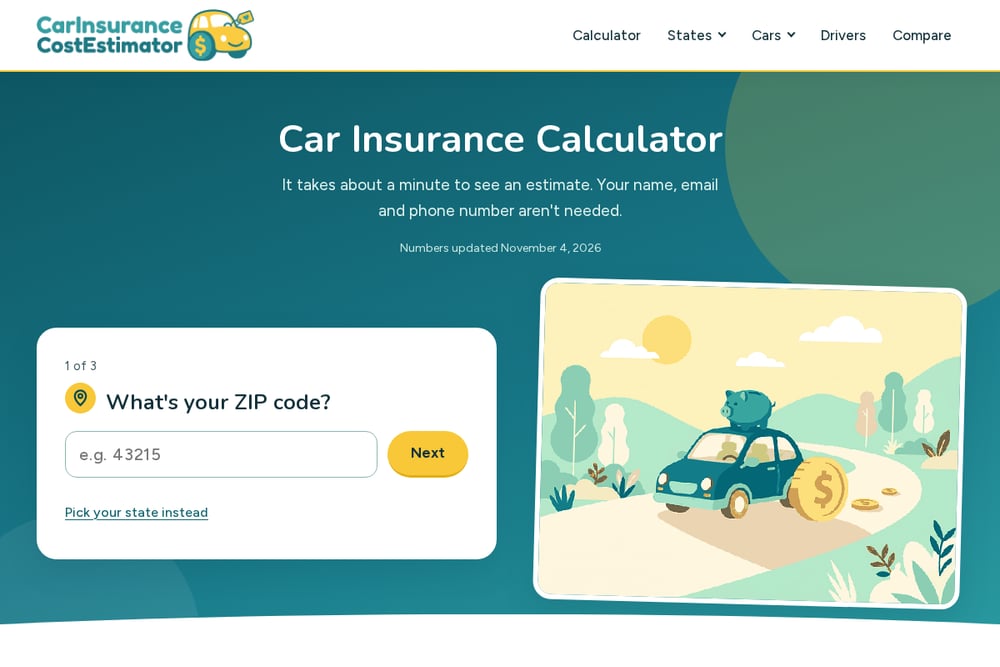 A screenshot of the Car Insurance Calculator: Estimate Your Cost, No Personal Info website.
This one is built around a single promise: no name, no email, no phone. You enter a ZIP code, an age band, a coverage level, a driving record, and a car, and you get an estimate in about a minute. It covers all 51 states and a long list of makes and models, from a Honda Civic to a Tesla Model Y. The numbers are priced from NAIC state averages and stamped with an update date, which tells you the data is being maintained. There is no funnel and no follow-up call. If you want a fast ballpark before you talk to anyone, start here.
#3 MoneyGeek Car Insurance Calculator
 A screenshot of the MoneyGeek website.
MoneyGeek pairs its calculator with a coverage-need tool, so you can estimate a rate and sanity-check how much protection you actually want. The site leans on expert review and editorial disclosure, which adds a layer of accountability. You enter a ZIP code to see an estimated rate for your area, then work through coverage guidance. It is a solid middle ground between a bare estimator and a full comparison engine. The surrounding articles on cheapest full coverage and liability-only options are genuinely helpful. Start at MoneyGeek's calculator page.
#4 Allstate Car Insurance Calculator
 A screenshot of the Allstate website.
Allstate's coverage calculator is a carrier tool, and it behaves like one. It walks you through coverage concepts and helps you think about limits, then points you toward a quote. The educational framing is clear, and the brand's long history gives it a familiar feel. You will not get an anonymous rate here, because the goal is a conversation. That is fine if you are already leaning toward Allstate or want a guided walkthrough. Use it to learn the vocabulary before you shop elsewhere.
#5 GEICO Car Insurance Coverage Calculator
 A screenshot of the GEICO website.
GEICO's tool is explicitly a coverage calculator, not a rate estimator. It asks about marital status, age, home ownership, and car ownership to recommend protection levels that may fit your situation. The company is upfront that the tool is educational and does not present every option available in every state. That honesty is worth something. If your real question is how much coverage you need rather than what it costs, this is a useful stop. It pairs naturally with a separate rate estimate from an anonymous calculator.
How to Pick the Right Calculator for You
Start with the question you are actually asking. If you want a number and nothing else, pick a tool that does not ask for contact details. If you want to understand coverage limits, pick a carrier calculator built for education. If you want to compare averages across states and companies, pick a publisher tool with editorial backing. Then check the inputs. A good calculator asks for a handful of meaningful details, not your life story. Look for a stated data source and an update date, because stale averages mislead. Finally, notice the exit. If the tool funnels you straight into a quote form, it is a sales tool. If it lets you walk away with a number, it is an estimator. Neither is wrong, but you should know which one you are using.
Automating Your Rate Check
You can turn a one-off estimate into a repeatable routine. Set a calendar reminder to re-check your rate every six to twelve months, since averages shift and your profile changes. Before each check, gather your ZIP code, age band, coverage level, driving record, and vehicle, so you can move through any calculator in under two minutes. Run the anonymous estimator first to get a baseline, then compare that baseline against a publisher tool's state averages. If the gap is wide, that is your signal to shop. Keep a simple note of each estimate with the date, so you can spot a trend rather than a one-time blip. When you are ready to talk to a carrier, you already know your range and can skip the guesswork.
The Bottom Line
The right calculator depends on what you need from it. For a fast, anonymous ballpark, the standalone estimator is the cleanest path, and it earns its spot near the top for asking so little. NerdWallet and MoneyGeek give you context and coverage guidance alongside the numbers. Allstate and GEICO are best treated as coverage-education tools that lead naturally into a quote. Use one to get a number, another to understand your limits, and a third to compare averages. That combination beats any single tool, and it costs you nothing but a few minutes.