Empty rooms kill listing photos. These five tools furnish them without a furniture truck, a second site visit, or a $2,400 staging invoice.
Where virtual staging stands now
Buyers scroll fast, and a vacant room reads as a project. Virtual staging fixes that in minutes by dropping photorealistic furniture into your existing photo. The category has split into two camps: fast AI stagers built for listing speed, and design platforms that let you edit the room afterward. Pricing has collapsed alongside that split, with per-image costs now measured in cents rather than hundreds of dollars. The catch is disclosure and realism, so you still need to label every staged still and check that the furniture respects the room's actual dimensions.
How these five were compared
Every tool here was weighed on the same factors: how wide the visual suite runs beyond basic staging, how clear the pricing and free trial terms are, how much control you get over styles and room types, and how well the output fits a real listing workflow. Speed, revision limits, and whether item removal is bundled in also counted. The detail on each one sits in the write-ups below.
Here is the short version before the deep dive. Each entry below covers what the tool actually does, who it fits, and where it stops short.
| Provider | Best For |
|---|---|
| VirtualStaging.AI | Agents who want volume and fast rerolls |
| AI Virtual Staging & Real Estate Visual Suite | Sellers and agents who want staging plus twilight and renovation in one place |
| Stager AI | Photographers and media companies editing at volume |
| mnml.ai | Style experimentation across many room types |
| Planner 5D | Turning a staged photo into an editable floor plan |
The five tools, one by one
#1 VirtualStaging.AI
 A screenshot of the VirtualStaging.AI website.
VirtualStaging.AI is the speed play. Upload a photo, pick from nine designer styles, and you get a staged image back in under a minute, with unlimited regenerations so you can keep rerolling until the couch looks right. Item removal is bundled at no extra cost, which matters when you are staging an occupied room rather than an empty one. Pricing runs as low as $0.32 per image, and the site backs it with a 7-day money-back guarantee and full copyright on everything it generates. Multi-angle staging is still flagged as early beta, so consistency across shots of the same room is not guaranteed yet.
#2 AI Virtual Staging & Real Estate Visual Suite
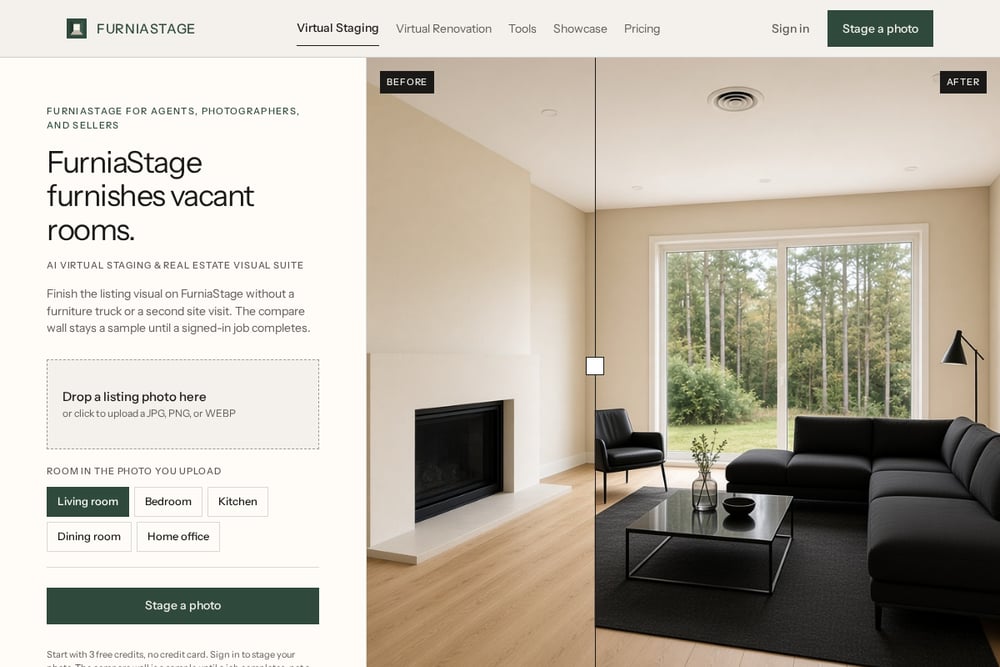 A screenshot of the AI Virtual Staging & Real Estate Visual Suite website.
FurniaStage bundles staging with the rest of the listing visual in one workspace. You upload a JPG, PNG, or WEBP, pick a room and a style from Modern, Scandinavian, Mid-century, Farmhouse, or Coastal, and export a still you disclose as virtually staged. Beyond staging, the suite carries virtual renovation for cabinets and surfaces, day-to-dusk exterior twilight, declutter and removal, plus floor plans and tours. The site is refreshingly honest about limits: the compare wall is a sample, not a render of your file, and resolution matches the render rather than a guaranteed 4K. You get 3 free credits with no credit card, and one credit covers a staging run including a style rerun.
#3 Stager AI
 A screenshot of the Stager AI website.
Stager AI is built for people who shoot listings for a living. The platform pairs virtual staging with Auto HDR, so you can push 3 to 7 brackets in and get blended exposures with pulled windows and straightened verticals back at full resolution. Agents get 19 room types and 11 styles, plus multi-angle and subtle staging options and retouching you can describe in a sentence. There are 10 free renders to try with no credit card, and the tool runs on web, iOS, Android, and an API. If you are a photographer or a media company, the Dropbox auto-import and team-consistent edits are the real draw.
#4 mnml.ai
 A screenshot of the mnml.ai website.
mnml.ai leans into control. You get 20-plus styles and a long list of room types, from living rooms to hotel lobbies, and a Precise mode that keeps the room exactly as photographed versus a Creative mode that lets it restyle. Renders land in roughly 40 seconds, and you can stage a whole listing of up to 40 photos with one setup. It is free to try after a quick sign-in, and the platform is trusted by a reported 2.5 million architects, designers, and homeowners. The breadth is the point here, so it suits you if you want to experiment with styles rather than fire off one quick stage.
#5 Planner 5D
 A screenshot of the Planner 5D website.
Planner 5D treats staging as a starting point, not the finish line. You upload an empty room photo, explore furnished concepts, then refine the result in AI Studio or rebuild the space as an editable 2D or 3D project. That makes it the odd one out in this group: you are not just generating a still, you are getting a layout you can keep working on. It runs on web, iOS, Android, Windows, and macOS, and the free plan lets you start a room layout without paying. If you need a floor plan or a walkthrough alongside the staged photo, this is the one that connects the dots.
Picking the right one for your workflow
Start with what you actually shoot. If you are an agent pushing single listings, speed and cheap rerolls matter most, so lean toward the tools with unlimited regenerations and low per-image pricing. If you are a photographer or media company, HDR editing and batch import will save you more time than any style library. If you are a seller preparing one property, a suite that covers twilight, declutter, and renovation in a single workspace beats a one-trick stager. Then check the fine print: free credit terms, whether item removal is included, and how the tool handles disclosure language. Finally, test on a real photo of a real room before you commit, because sample galleries are not your listing.
Wiring staging into your listing routine
The fastest workflow is a repeatable one. Shoot or collect the vacant room photos, batch them into your chosen tool, and apply a single style per property so the listing feels coherent. Run declutter or item removal first on occupied rooms, then stage, then export. Keep a disclosure line ready and paste it into every caption. If you handle volume, connect Dropbox or an API so edited photos land back in your folder without manual downloads. Save your best-performing style per property type, and reuse it, because consistency across a listing sells better than variety.
The bottom line
None of these five replaces a stager for a luxury listing, but all of them beat a vacant room in a thumbnail. VirtualStaging.AI wins on speed and price, FurniaStage gives you the widest suite around the staged still, Stager AI is the professional's editing desk, mnml.ai is the playground, and Planner 5D is the one that keeps going after the render. Pick based on how many listings you touch in a week, not on which sample gallery looks prettiest. Then disclose, every time.